
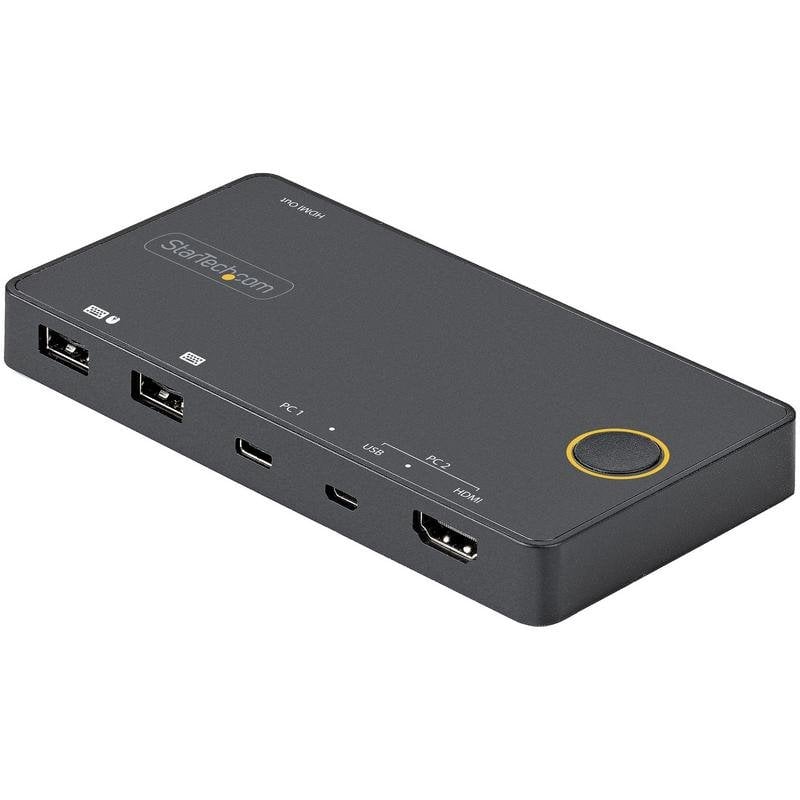
Startech 2-Port USB-C HDMI KVM Switch 4K 60Hz
£31.99
Switch between two computers using a single keyboard, mouse and 4K HDMI monitor with this Startech desktop USB-C and USB-A KVM. Startech KVM switch features This 2-port KVM switch lets you control two computers, one with USB-C (DP Alt Mode) and another with USB-A and HDMI, using a single set of peripherals. Its compact, bus-powered design removes the need for power adapters, reducing clutter on your desk. Quick, easy switching: Switch between PCs with a single button, ideal for multitasking workflows. 4K 60Hz resolution: Enjoy exceptional picture quality on HDMI 2.0 monitors at up to 3840 x 2160 pixels. Hybrid connectivity: Compatible with USB-C, USB-A and HDMI, with Thunderbolt 3 support for maximum versatility. Hassle-free setup: Includes all necessary cables (HDMI, Micro-USB, USB-C to USB-C) for immediate installation. Universal compatibility: Works with Windows, macOS, Linux, iOS and Android, tested with brands such as Dell, HP and Lenovo. If you need an efficient solution for managing multiple devices at a workstation, this KVM switch is the perfect choice. Discover limitless productivity. Startech KVM switch specifications Specification: Details Number of computers controlled: 2 Keyboard port type: USB Mouse port type: USB Video port type: HDMI Number of HDMI ports: 2 HDMI version: 2.0 HD type: 4K Ultra HD Maximum resolution: 3840 x 2160 pixels Video bandwidth: 60 Hz USB connector: Micro-USB B, USB Type-A, USB Type-C Audio channels: 7.1 Number of supported displays: 1 Product colour: Black LED indicators: Yes Push button: Yes Mean time between failures: 50000 h USB powered: Yes Operating temperature range: 5 - 55 °C Storage temperature range: -20 - 50 °C Operating relative humidity range: 20 - 80% Dimensions (W x D x H): 138 mm x 70 mm x 15 mm Weight: 200 g Included cables: HDMI, Micro-USB, USB Type-C to USB Type-C Quick installation guide: Yes HS code: 85176200 FAQs - Startech KVM switch What is this KVM switch for? It lets you control two different computers with a single HDMI monitor, keyboard and mouse, ideal for users who work with multiple devices. How is it set up and used? Connect the cables to each PC and the peripherals, then use the physical button to switch between computers. No additional software is required. What advantages does it offer over other KVMs? It supports 4K 60Hz resolution, is bus-powered (no external adapter) and is compatible with USB-C and Thunderbolt 3. Is it compatible with my operating system? Yes, it is OS-independent and works with Windows, macOS, Linux, iOS and Android.
1-year warranty