
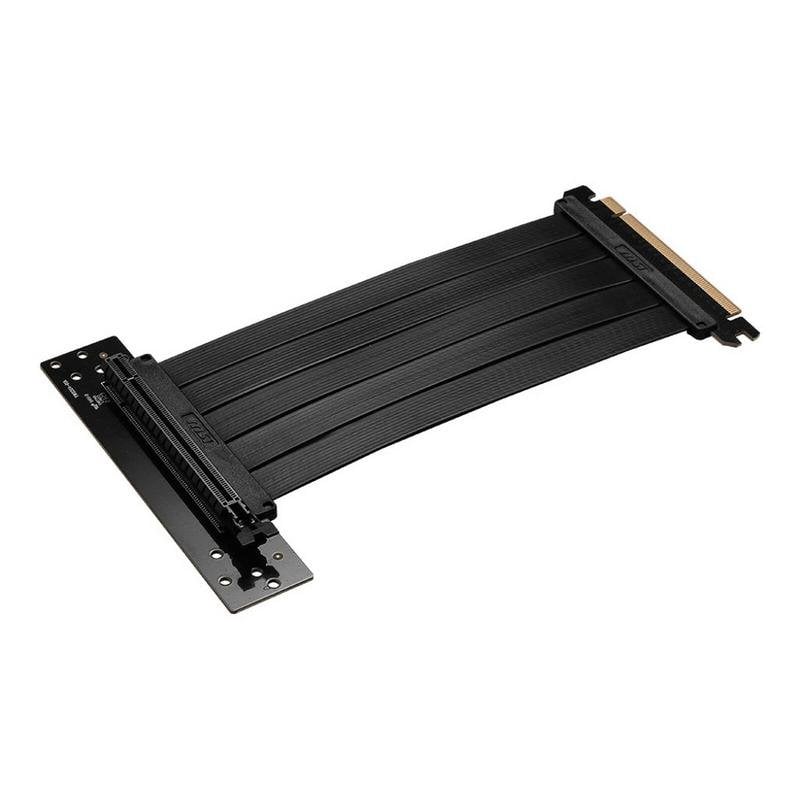
MSI OK1-7G21004-W57 PCIe 4.0 x16 180 mm Black Riser Cable
£46.99
Optimise your system build with the MSI PCIe 4.0 x16 180 mm Riser Cable, designed to give hardware enthusiasts maximum flexibility and performance. MSI PCIe 4.0 x16 180 mm Riser Cable Features Customised, efficient installation. It lets you position the graphics card vertically or in unconventional locations, improving the appearance and thermal management of advanced cases. Full-speed data transfer. Its PCI Express 4.0 x16 standard ensures ideal bandwidth for modern graphics cards, avoiding bottlenecks and maintaining optimal performance in gaming or professional tasks. Ideal length and robust design. Its 180 mm provide suitable extension for most premium cases, and the reinforced connector ensures a stable, reliable connection during intensive use. Universal compatibility. Works with any PCIe 4.0 x16-compatible card, adapting to high-end ATX, Micro-ATX or ITX configurations. If you want to mount your GPU securely, stably and with a flawless appearance, this riser cable is an essential solution. Increase cooling, improve internal access and prepare your system for the highest demands. MSI PCIe 4.0 x16 180 mm Riser Cable Specifications Specification Detail Model OK1-7G21004-W57 Cable type PCIe 4.0 x16 riser Length 180 mm Colour Black Connection system PCI Express 4.0 x16 (male to female) Compatibility PCIe 4.0 x16 graphics cards Warranty Statutory and commercial warranty (see terms) FAQs - MSI PCIe 4.0 x16 180 mm Riser Cable What is a PCIe 4.0 riser cable for? It allows the graphics card to be moved away from its position on the motherboard, optimising appearance, airflow and customisation possibilities. Does using this cable reduce graphics card performance? No. If the riser is PCIe 4.0, like this model, and is installed correctly, there are no noticeable losses in bandwidth or stability. Is it compatible with any case and graphics card? It is compatible with all PCIe 4.0 x16 graphics cards and motherboards. Check that the case has enough space and the appropriate support for vertical mounting. How is it installed correctly? Simply connect the male end to the PCIe slot and the graphics card to the female end. It is advisable to secure the cable to avoid strain and check that it is fully inserted.
1-year warranty