
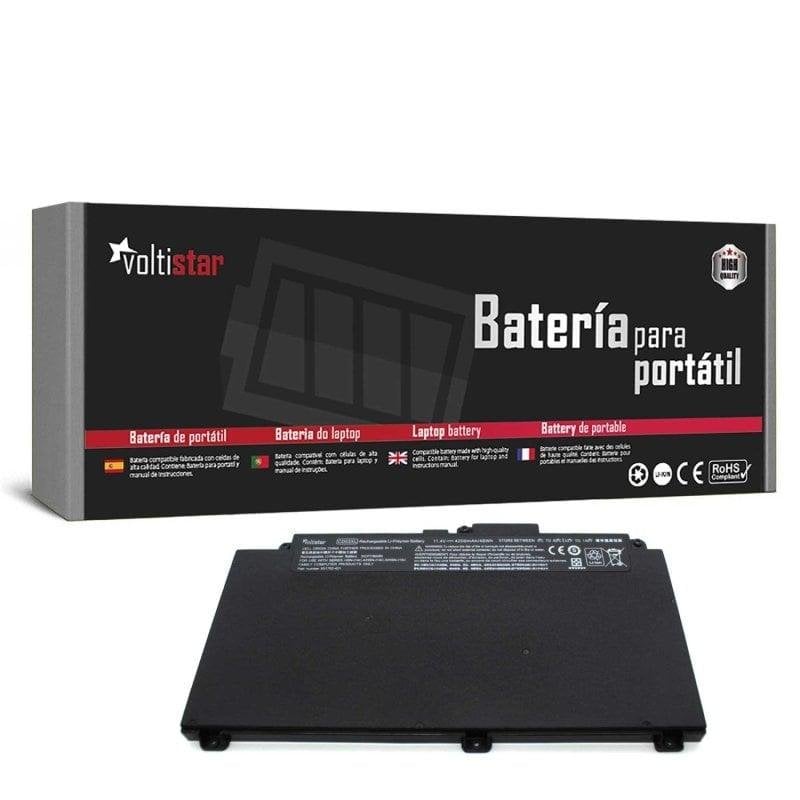
Voltistar Battery for HP ProBook 640 G4 640 G5 645 G4 650 G4 650 G5 Laptop
£17.99
Restore the battery life and performance of your HP ProBook laptop with this Voltistar replacement battery, designed to provide a reliable, high-quality solution. Voltistar HP ProBook battery features Guaranteed compatibility. This battery is specifically designed for HP ProBook 640 G4, 640 G5, 645 G4, 650 G4 and 650 G5 models, ensuring a perfect fit and optimum performance without compatibility issues. High capacity and durability. Made with high-density lithium-ion cells, this battery provides long life between charges, allowing you to work or enjoy entertainment for hours without being connected to the mains. Safety and protection. It includes integrated protection circuits against overcharge, short circuits and deep discharge, ensuring the safety of both the battery and your laptop during use. Easy installation. Its lightweight, compact design allows quick, hassle-free replacement, restoring your laptop’s original mobility in just a few minutes. Specific references. Compatible with part numbers CD03XL, HSTNN-UB7K and HSTNN-IB8B, making it easier to identify and buy the correct battery for your model. Voltistar HP ProBook battery specifications Specification Detail Brand Voltistar Compatibility HP ProBook 640 G4, 640 G5, 645 G4, 650 G4, 650 G5 Part numbers CD03XL, HSTNN-UB7K, HSTNN-IB8B Cell technology Lithium-ion Protection Overcharge, short circuit, deep discharge FAQs - Voltistar HP ProBook battery Is this battery compatible with my HP ProBook model? Yes, it is specifically designed for HP ProBook 640 G4, 640 G5, 645 G4, 650 G4 and 650 G5 models. Check that your laptop is one of these to ensure compatibility. Which part numbers should I look for on my current battery? The compatible part numbers are CD03XL, HSTNN-UB7K and HSTNN-IB8B. You can find them on the label of your current battery or in your laptop’s documentation. Is this replacement battery safe? Yes, it includes integrated protection circuits that prevent overcharging, short circuits and deep discharge, ensuring safety during use. How is the battery installed? Installation is straightforward: turn off the laptop, remove the old battery and place the new one in the same space. No special tools or advanced knowledge are required.
1-year warranty